
Create login for users without Swedish BankID
To give a user without Swedish BankID access, you need to add an email address. How you do this depends on whether the person already exists in the share ledger or not.
If the person already exists in the system
This applies to board members and shareholders.
- Go to Entities
- Search for the person
- Click Edit
- Add an email address
- Click Save
Once the email address has been added:
- An email is sent to the person
- The person needs to verify their email address
- After that, the person can sign in with Google
Add a new user
This applies to users such as administrators, CFOs, and lawyers.
- Go to Settings -> Team
- Click Add user
- Click Add new
- Select Individual with Google Login
- Enter the email address
- Fill in the remaining details
- Click Save
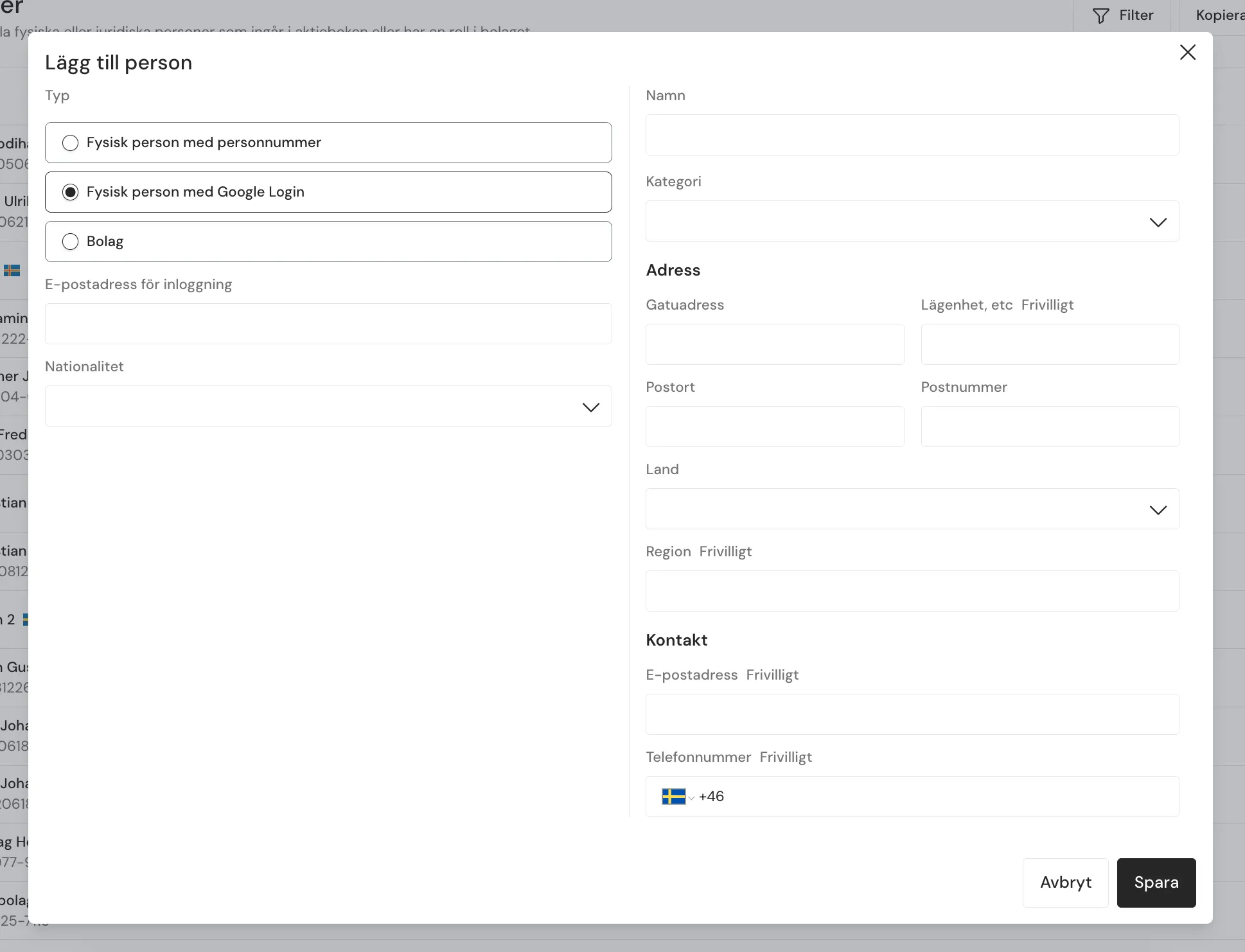
Select “Individual with Google Login” and enter the email address.
Once the email address has been added:
- An email is sent to the person
- The person needs to verify their email address
- After that, the person can sign in with Google
Tips
- Use Google sign-in for all users without Swedish BankID
- Make sure the email address is correct before you save