
Set approval policy
An approval policy determines how share ledger events are approved and by whom. You need to set a policy before events can be approved.
- Go to Settings
- Click Set policy
- Choose how approvals should be handled
- Click Next
- Review the proposal
- Click Sign & Approve policy
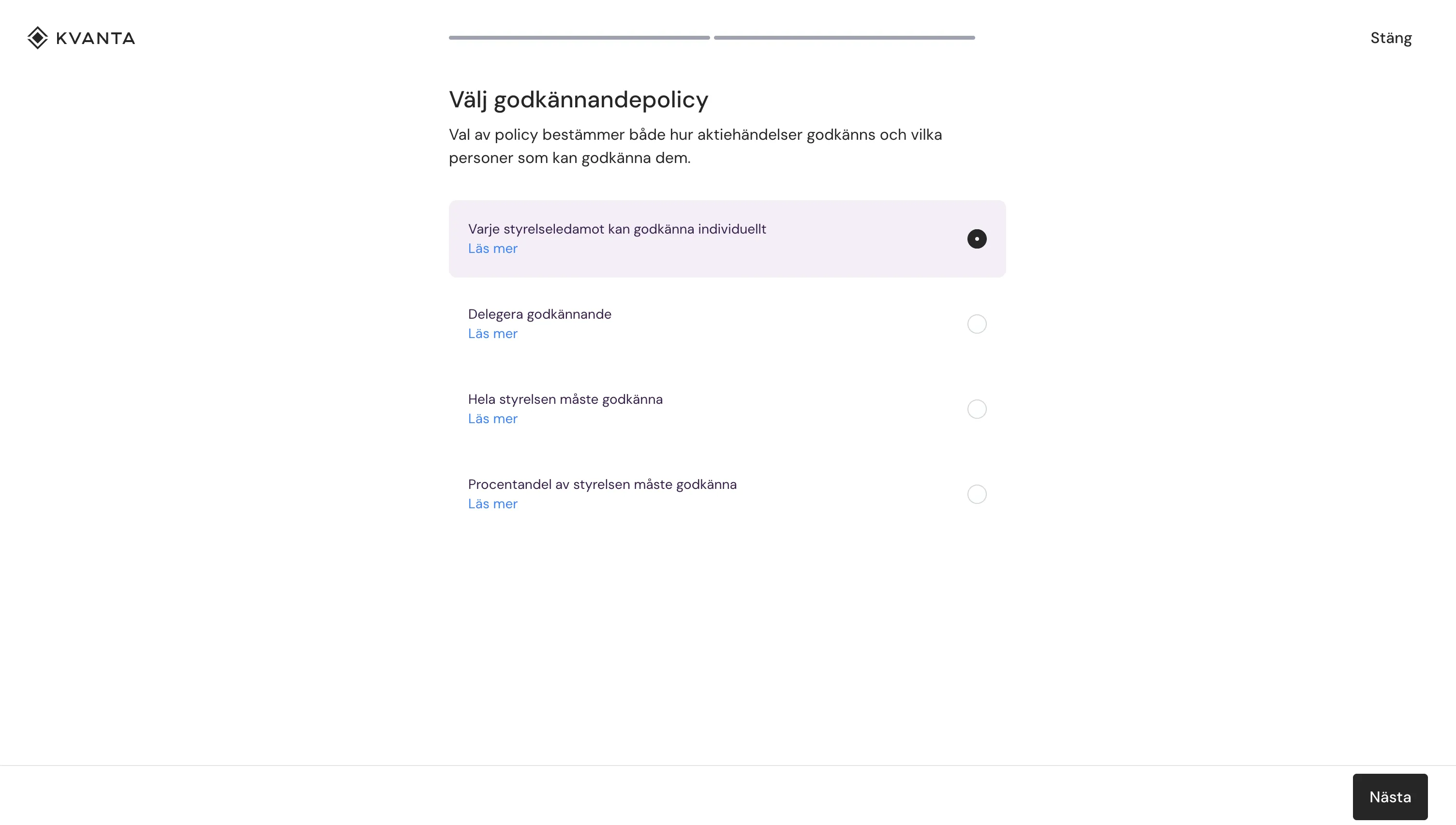
Choose how share ledger events should be approved and by whom.
What happens next?
- The proposal is sent to the board for approval of the policy.
- The policy takes effect once all board members have approved it.
- You can follow the status directly in the system.
What do the options mean?
The options determine who can approve events and how many approvals are required.
- Each board member can approve individually
Fastest. One board member is enough. - Delegate approval
Selected people, such as the CFO or legal counsel, approve instead of the board. - The entire board must approve
Maximum control. Everyone must approve. - A percentage of the board must approve
A balance between control and flexibility.
Result
Once the policy has been approved:
- share ledger events can be approved
- all approvals are logged and signed
- the process follows the selected policy
Tips
- Make sure all board members have an email address registered
- The policy does not take effect until everyone has approved it
- You can follow who has approved directly in the system
- The policy can be changed later if needed